

Request access
Access to Omnii is gated by a short registration form. Everything on the form is used during admin review, so fill it in honestly and completely.
Open the registration form
Go to the registration page. All fields marked required must be filled to submit.
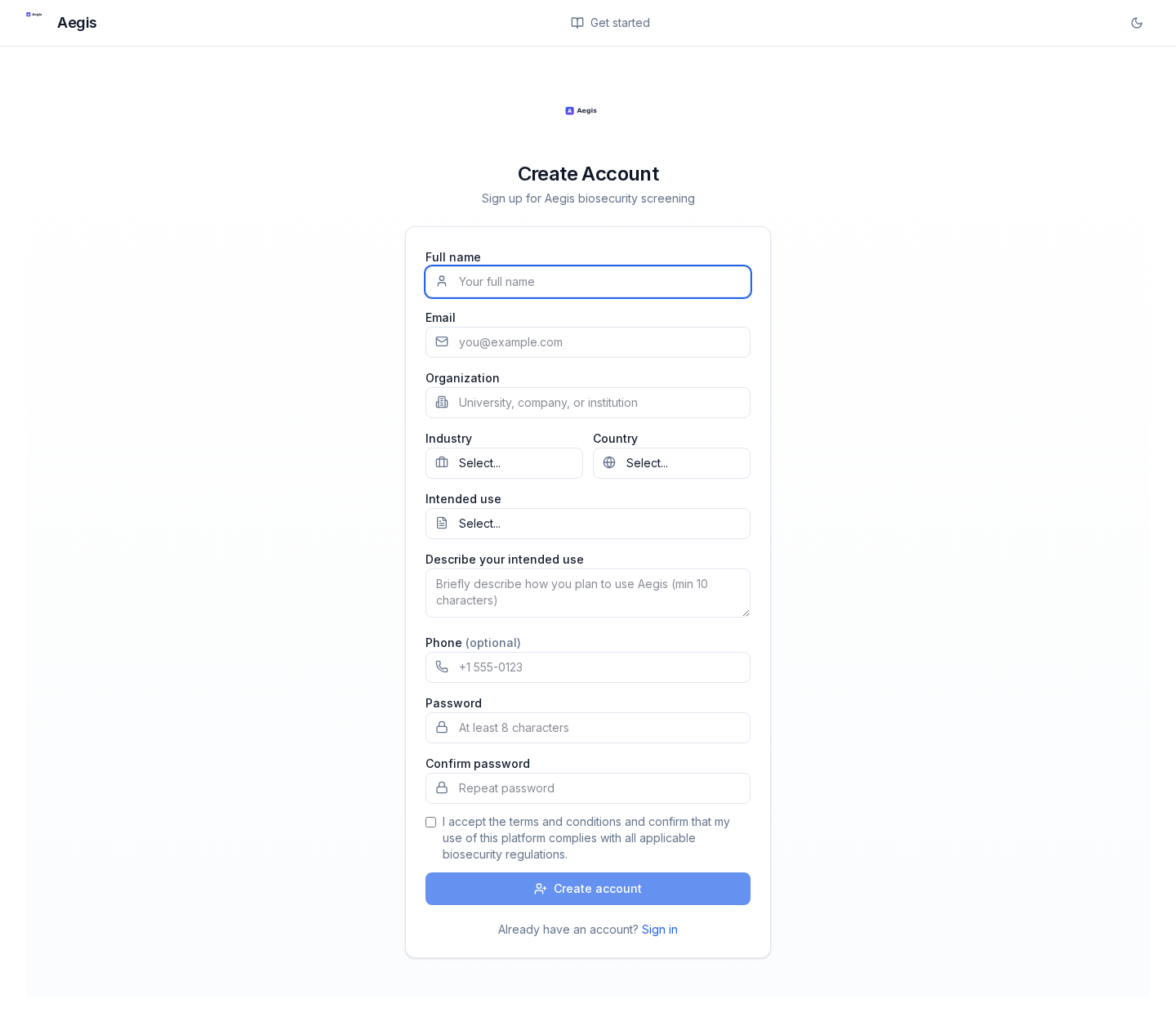
Fields and what they're for
- Full name
- Real legal name. Shown to screening admins during review.
- Institutional email is preferred — personal addresses slow review. You'll receive a verification link here.
- Organization
- Your employer or host institution. Include the department if it disambiguates.
- Industry
- One of: Academia, Biotech, Pharmaceuticals, Healthcare, Government, Defense, Agriculture, Environmental, Other.
- Country
- The country you're physically registering from. Combined with the geo-block (see Eligibility).
- Intended use
- One of: Research, Clinical, Commercial, Education, Government, Nonprofit.
- Describe your intended use
- Minimum 10 characters, but 2–3 sentences is realistic. Explain what you'll submit (“viral genomes from wastewater surveillance for an ongoing study”) rather than what Omnii does.
- Phone (optional)
- Only used if we need to reach you about an ambiguous request.
- Password
- 8+ characters, at least one letter, digit, and special character. Passwords are stored by our identity provider (Keycloak), hashed — never by Omnii itself.
- Terms & conditions
- You confirm compliance with local biosecurity rules. Required.
Tip for reviewers and allies
If a colleague has referred you, mention it in Describe your intended use. It lets the screening admin correlate the request faster.
After you submit, you'll see a “Account created” confirmation and a “Sign in” button — but there are two more steps before you can actually submit sequences. See After you register.
Omnii v0.10.0 · rebuilt 2026-04-28 · https://radicalaegis.com/guide