

History & export
Every job you submit is kept. You can browse, re-open, and export execution-time data for your own records.
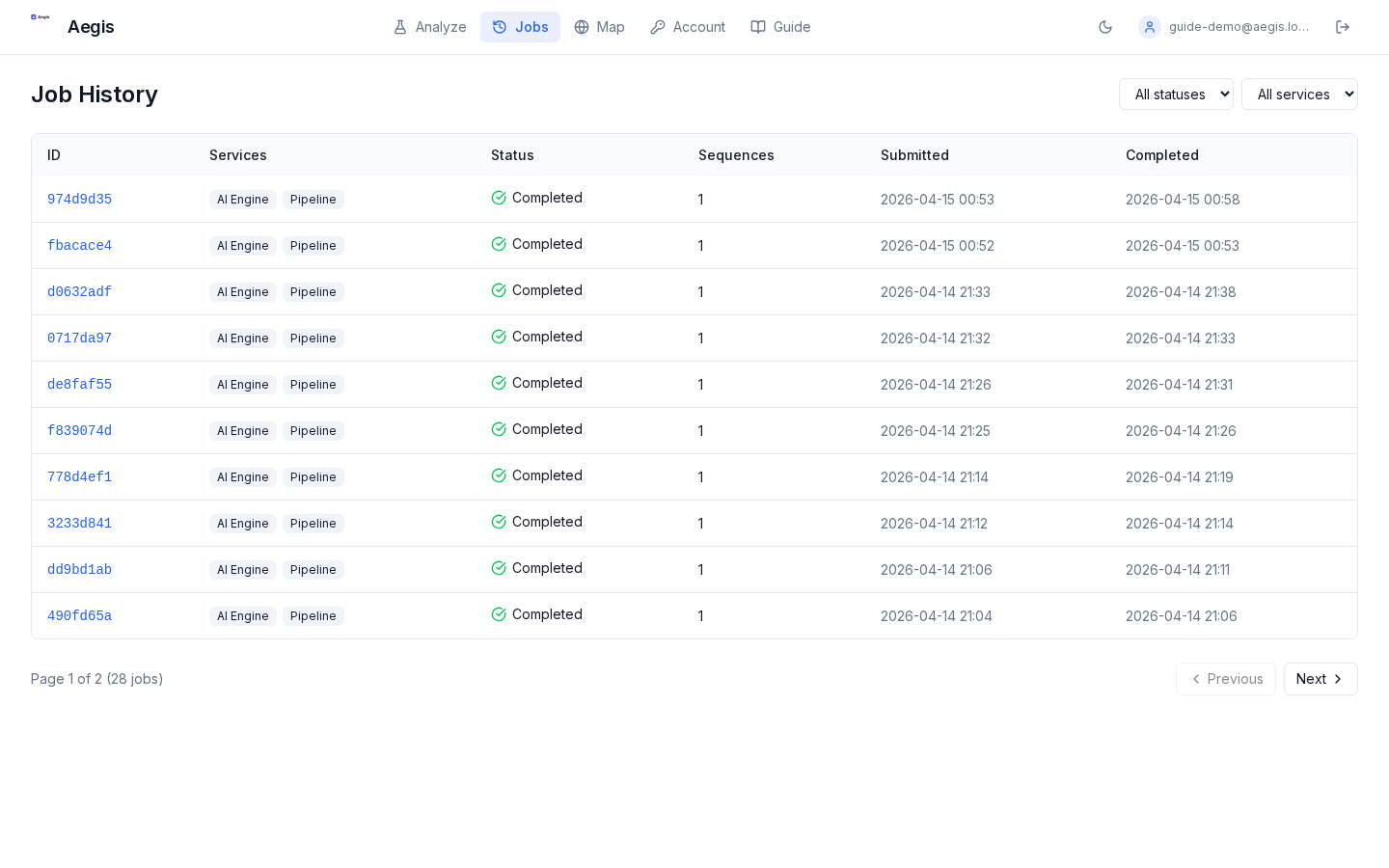
Finding past jobs
- The Jobs page lists everything you've submitted, newest first, grouped by submission.
- Multi-service submissions (pipeline + AI engine) appear as a single group with two children. Clicking the group opens the merged detail view.
- Each row shows the risk score, service(s), sequence count, and elapsed time.
Job detail
Clicking a row opens the detail page with the same three result layers you see right after submission: summary header, genome browser, and global surveillance. The underlying HTML report (used for forensics) is available behind a short-lived HMAC token — look for View full report on the detail page.
Exporting execution times
Timing and status fields for every job are available via the API:
curl -H "X-API-Key: $AEGIS_API_KEY" \
  "https://radicalaegis.com/api/v1/jobs?page=1&page_size=100" \
  | jq '.items[] | {id, status, service, submitted_at, started_at, completed_at}'
Supported query parameters: page, page_size (max 100), plus optional status, service, and submission_id filters. The endpoint is always scoped to the calling user — there is no cross-user filter. Pipe the jq output through @csv if you need a spreadsheet dump. (A dedicated in-app export button is tracked as a follow-up.)